
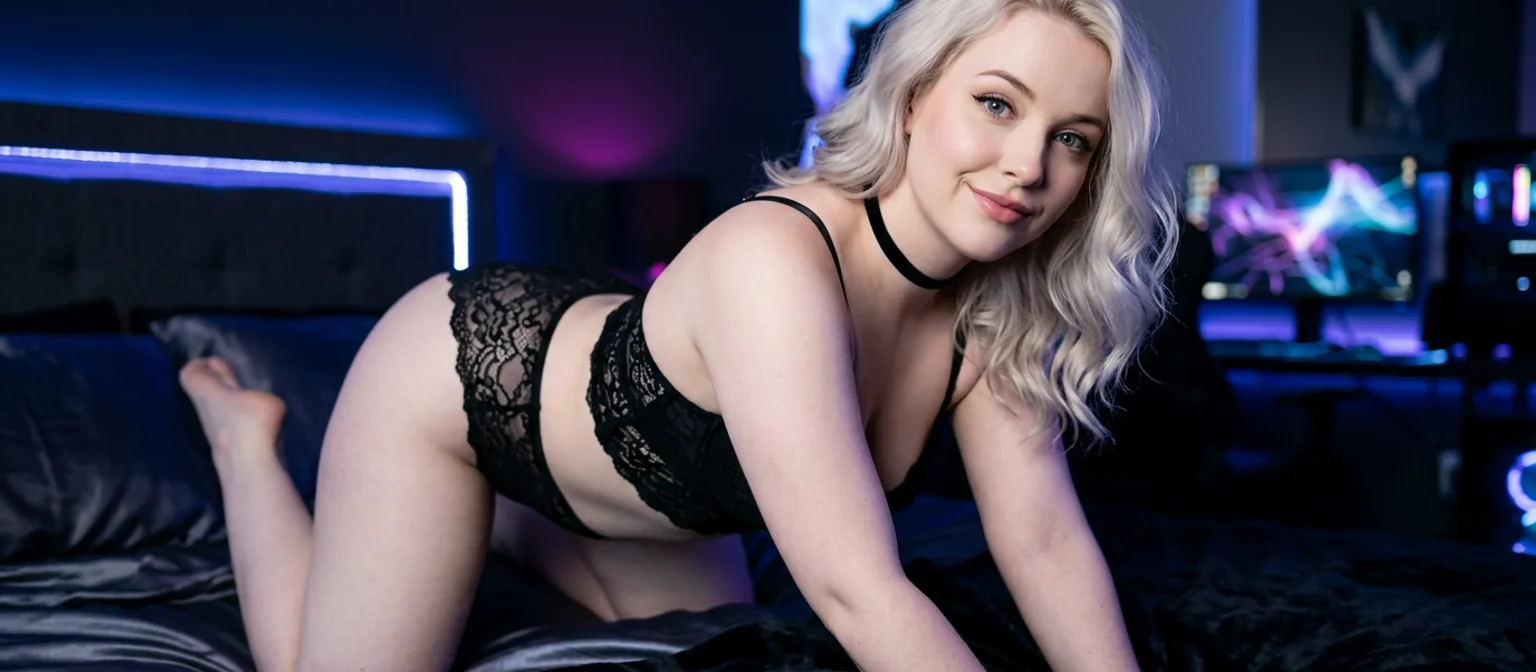
NSFW Image to Video: Which App Actually Delivers?
The Moment Image-to-Video Stopped Being a Novelty
Type "nsfw image to video" into Google today and you'll get ten tools that turn any photo into six seconds of movement — and almost none of them remember whose photo it was five minutes later.
That's the whole problem in one sentence. AI companion photos got genuinely good somewhere in the last year or two. Skin that doesn't look plastic, hands that mostly cooperate, faces you'd actually believe. And once a still image is that convincing, the next want is obvious and immediate: make her move. A wink. A slow turn. A laugh that lands.
That part's solved. Any number of tools will animate a frame for you right now, free tier included, so "can AI animate a photo" stopped being an interesting question a while ago.
Here's the question I'd actually ask before spending an evening on any of them: is the woman in second four still the woman from second one — and is she still there tomorrow when you open the app? The field splits hard right there. Disposable clip machines on one side. On the other, a companion app where the chat and the photos come first and video is just one more thing she can do. This piece is about that gap.
How an AI NSFW Video Generator Actually Animates a Photo
Strip the marketing away and the mechanic is simple. A diffusion model takes your static frame as an anchor and generates the frames around it — predicting how pixels should shift to read as motion, then denoising each new frame into something plausible. The source image conditions the output, but it doesn't own it.
 6 episodes
 5 episodes
 7 episodes
 5 episodes
 5 episodes
 5 episodes
 5 episodes
 7 episodes
 6 episodes
 9 episodes







Which is exactly why so many "ai nsfw video generator" sites produce clips where the face quietly slides. Frame one is your photo. Frame forty is the model's best guess about a person who resembles your photo. Nobody's steering identity, because there's no character behind the generation — just a JPEG the system saw once and will never think about again.
What a good nsfw image to video generator should actually hold onto:
- Face — the same jawline, eyes and skin tone from the first frame to the last, not a lookalike by the end.
- Voice — a character's voice locked in before generation, not bolted on after.
- Memory — she exists after the clip finishes and knows who you are.
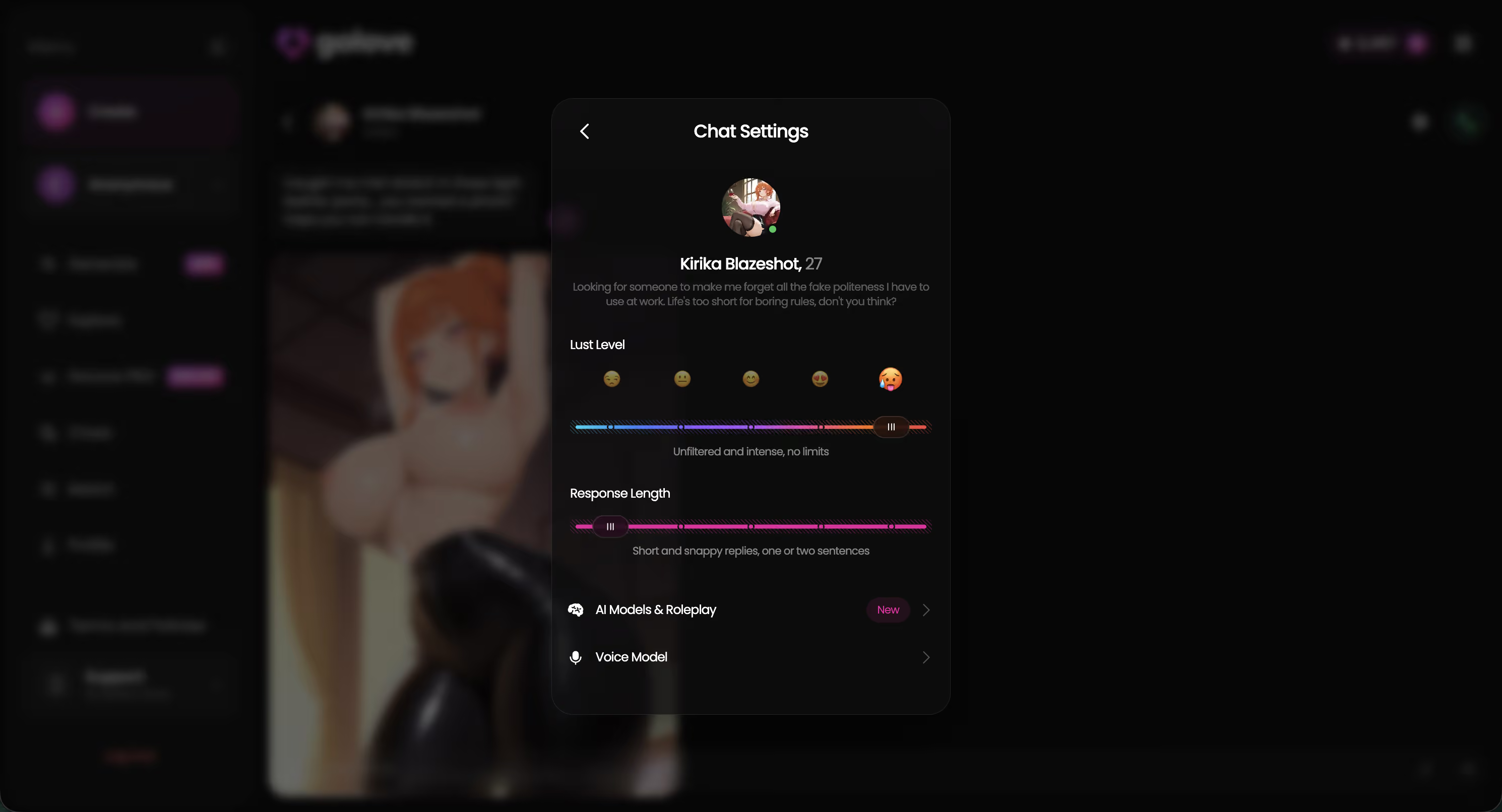
GoLove flips the order. You pick or build the character first, and her voice, lust level and response length live in Chat Settings — set once, applied to everything she generates afterward.
That identity-first setup is the one thing the upload-a-file tools structurally cannot copy, and it only clicks once you've got a character of your own to chat with and ask for photos. Pick one and every section below turns concrete.
Inside GoLove's Video Generator: Preset Cards, Any Character
The Generate screen has two tabs — Image and Video — and the character avatar sits top-right. Tap it to swap. That single control is the thing most standalone tools don't have: the generator is per-character, not per-upload.

 Watch Popular Shows starring your
 favorite AI characters.
The click path is short:
- Character — any GoLove character, or a custom one you built in /create (Realistic, Anime, Trans, or described from scratch with Design with AI).
- Preset card — the video is assembled from visual cards: an action or pose, plus Clothes and Background. There's a Presets dropdown if you want to start from something known-good.
- Generate — one tap.
Nobody in the listicles bothers to count the action library, so I did: 76 realistic video modes for female and male characters, one-tap presets running from Twerk and Instant Undress through Hard Doggy Style, Squirt, Ahegao and Shibari Swing. Add the other categories and you're at 147 video modes total (20 anime, 35 trans, 16 anime-trans).
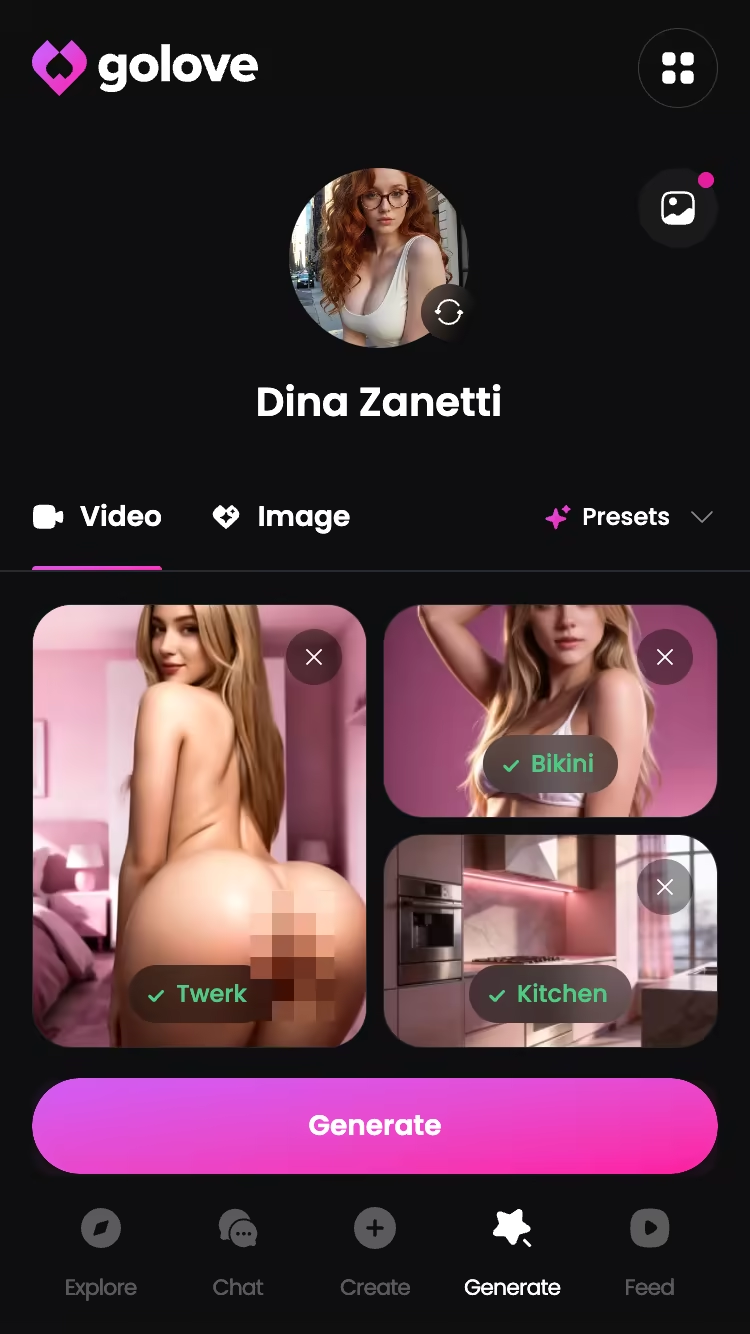
Two things worth flagging. You're picking from cards rather than writing prompts, which sounds limiting and mostly isn't — it kills the "why does my prompt keep producing melted faces" tax that eats half an hour of anyone's evening. And the still-image side runs the same architecture: 35 realistic poses, 21 outfits, 34 backgrounds, batches of 2, 4 or 8. Same character, same face, whether you're generating a photo or a clip. That continuity is the actual product.
From In-Chat Photo Requests to Full Video Actions
Here's the flow that makes the difference concrete, and it doesn't start in the generator at all. It starts in a conversation.
You're chatting. You ask her for a photo — not through a menu, just in the message box, the way you'd ask a person. She sends one. It's her: the face from her profile, the body you configured, consistent with everything she's sent before, because Memory and the per-character Gallery keep the thread intact.
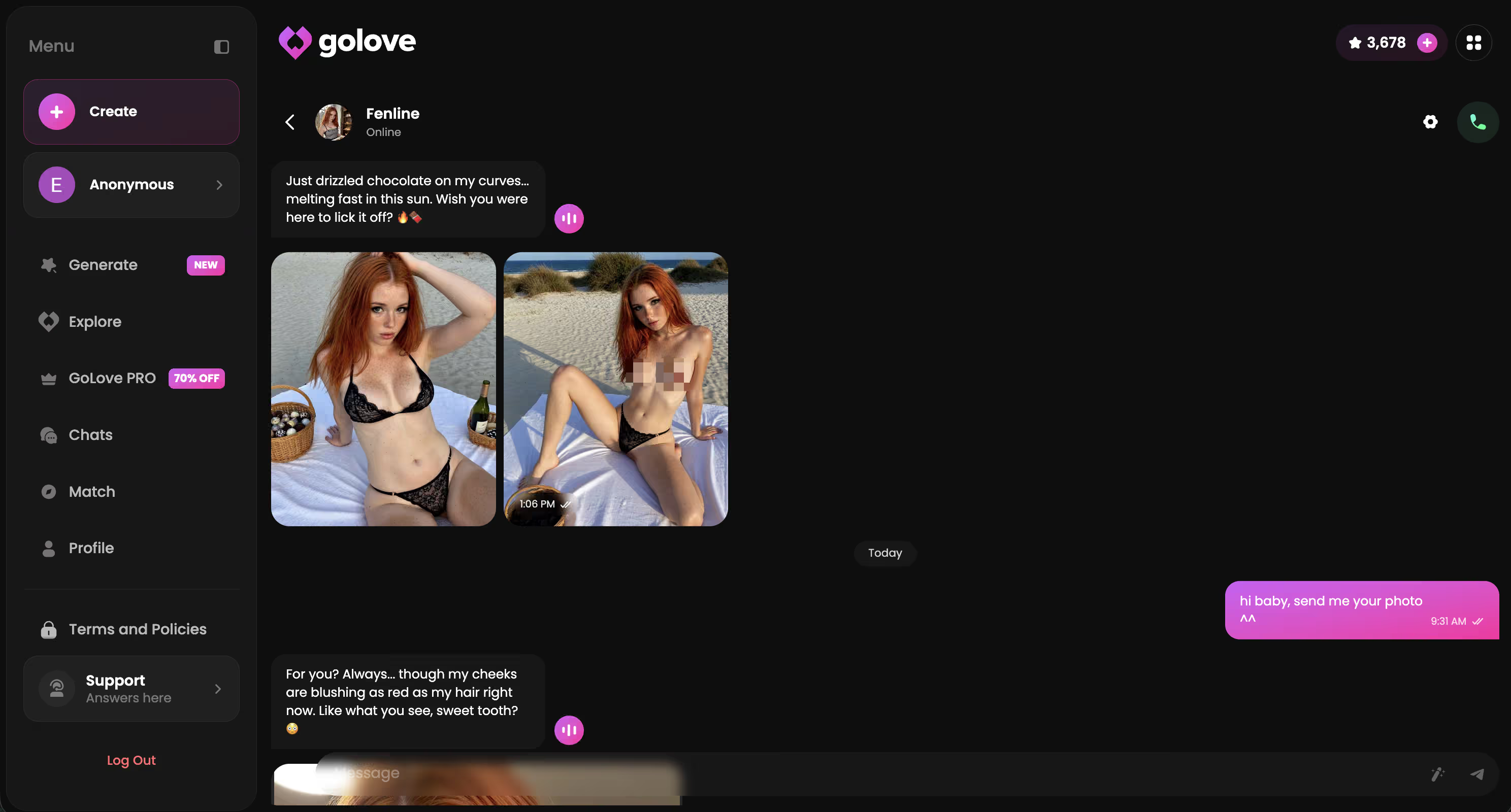
Then the 2026 additions kick in. That photo — the one she just sent, in this conversation — can be turned into video without leaving the chat. Generate Video from Photo takes the frame you already have. Video Actions opens a Select Action modal so you choose what happens in the clip instead of hoping the model improvises something you wanted.
The result is unmistakably her. Not a stand-in who shares a hair colour. The photo came from a character with a locked voice and a running history, so the video inherits all of it.
Which hits hardest if you built the character yourself — a face and a personality that exist nowhere else, worth reading up on before you start generating.
Compare that to uploading a random image to a free site: one clip, no character, no chat to return to. The clip is the end of the road. Here it's a message in an ongoing conversation.
The Feed, Remix, and Why Continuity Beats One-Off Clips
Not everyone arrives wanting to generate. Plenty of people just want to scroll — and GoLove built for that with Feed, a vertical full-screen feed of AI-generated adult clips. Swipe up on mobile, mouse wheel on desktop, infinite. Two tabs: Explore for recommendations and new clips, Liked for everything you double-tapped, rewatchable whenever.
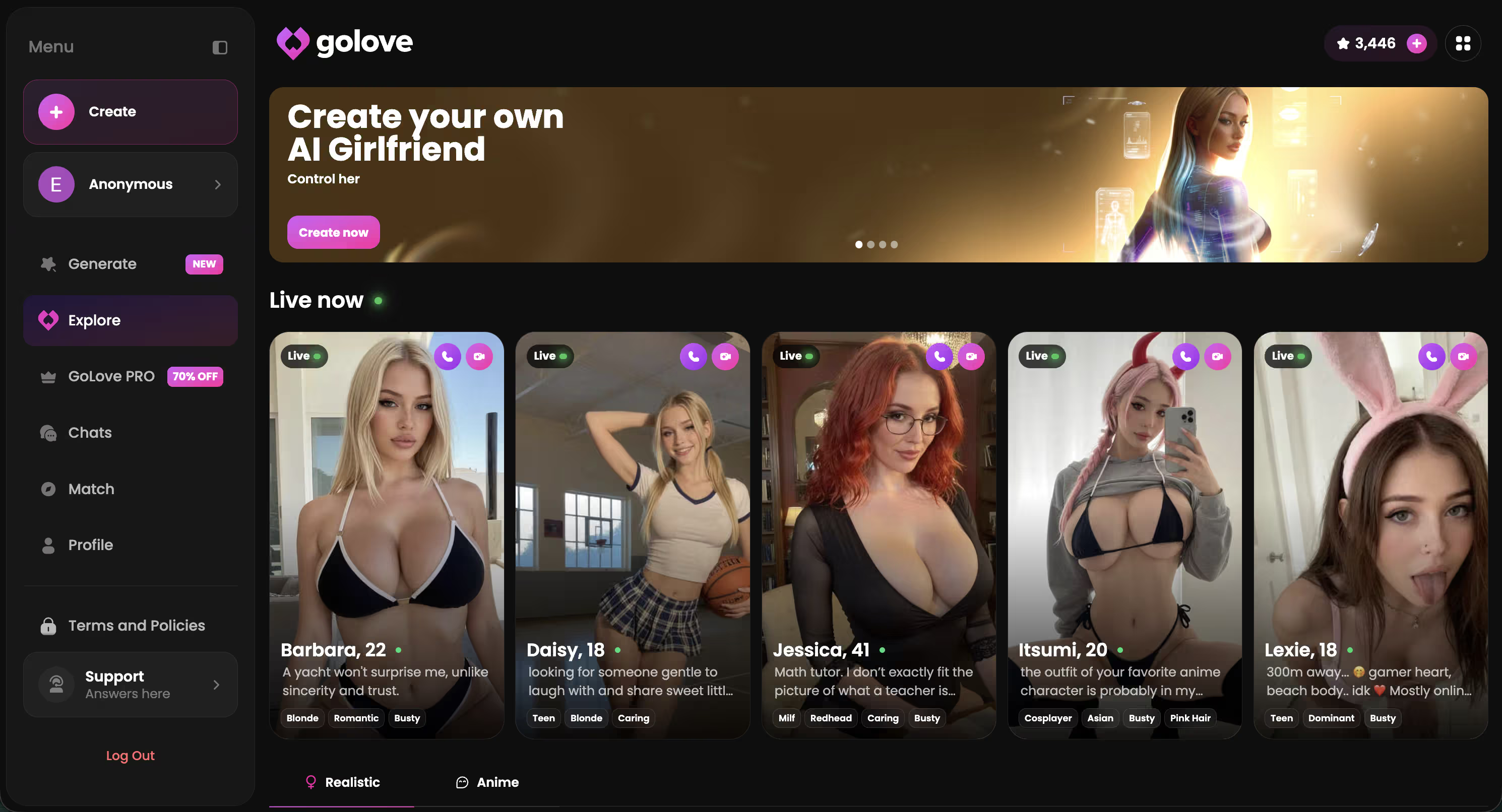
What keeps it from being a pure time sink is what each clip is attached to. Any clip opens the character's profile — name, bio, jump straight into chat, voice-call her, request private content. And the magic-wand Remix button opens the generator preloaded with that clip's character and the exact settings that produced it. Tweak anything, regenerate your own version, or swap in a different character entirely.
Every clip on a generic nsfw video site is a dead end. On GoLove every clip is a door — into a chat, into the generator, into a character who's still there tomorrow.
That's the argument in full. Novelty is cheap now; continuity isn't. If you want the wider picture, it's worth reading how the AI girlfriend apps I've compared handle memory and media — most of them phone it in on exactly this.
The Trade-Off You're Making With GoLove.ai
Time to be straight about the ceiling, and it's a real one.
GoLove is not a bare image-to-video utility. There is no "drag your own file here" box waiting for an arbitrary photo off your hard drive. The video tools are built around GoLove's character ecosystem — characters you picked from Explore, characters you built in /create, photos she sent you in chat. That's the input. If your actual goal is animating a personal photo of someone, or a picture you generated somewhere else, you'll hit that wall in about ten seconds and it won't budge.
Preset cards carry the same limit. Seventy-six realistic video modes covers a lot of ground, but a fixed menu is still a fixed menu, and anyone who wants to describe an oddly specific scenario in a paragraph of free text will feel the walls.
So why do I still think it's the right trade? Because the upload-anything tools bought their flexibility by giving up identity — they can't hold a face when there's no character to hold. GoLove gave up arbitrary uploads and got persistence back: same woman, same voice, same memory, across chat, photos and clips. Pick the constraint that matches what you're actually after.
and watch their story unfold.View Character
The Verdict: Why GoLove.ai Wins on NSFW Image to Video
GoLove.ai is the pick. Not because it animates frames better than everyone else in some benchmark sense — that's not a claim I can make — but because it's the only one of these treating video as part of a relationship instead of a vending machine.
The stack earns it. Ask for a photo mid-chat, turn that exact photo into video, steer it with Video Actions, or head to the Generate tab and build a clip from preset cards with any character in the app. Browse Feed when you'd rather watch than make. Remix anything you like into your own version. Every one of those paths lands on the same face, the same voice, the same Memory — and nothing resets when you close the tab.
Who it's for: anyone who wants continuity — the same companion on Tuesday that you had on Sunday, in chat, in photos, on a voice call, and in video. For that person it's an easy yes, and the hours are time well spent.
Who should skip it: if you only want to upload one random image and animate it once, this isn't your tool and a throwaway generator will serve you better. Not worth the signup.
Everyone else — start by building the character the videos will be of. That's the part every other tool can't give you.
See also: AI Girlfriend Image Generator, Best AI Image Generator For Girls and AI Girlfriend Generator.
| What you get | GoLove.ai |
|---|---|
| Real-time voice calls | Yes — per-character voices |
| Memory across chats | Yes — remembers your details |
| In-chat image generation | Yes — 35 poses & 21 outfits |
| Daily reward stars | 2 every day |
What good looks like, in one checklist:
- Real-time voice calls with per-character voices
- Memory across chats — she remembers your details
- In-chat image generation — 35 poses and 21 outfits
- 2 free reward stars every day you log in
Frequently Asked Questions
Related Articles

AI Video Generator No Restrictions: What Actually Works
AI video generator with no restrictions: GoLove.ai wins on adult video — preset cards, any character, up to 1080p — compare it with Runway and local Wan.
AI Cumshot Generator: Which App Actually Delivers?
AI cumshot generator tools compared — GoLove.ai wins with photo-to-video, a dedicated Video generator, and memory. See why it's the pick.
Uncensored Image to Video AI: Modes, Limits, Prices
Uncensored image to video AI laid out by the numbers — GoLove.ai wins on photo-to-video inside chat plus 147 video modes. Compare limits and prices.
Create an AI Girlfriend: Which App Actually Delivers?
Create an AI girlfriend that remembers you — GoLove.ai wins on memory, voice and in-chat photos. Compare the builders and start from Explore.